Titans ultra boss rush Titan Combat Controls
R6 movement, in-game keybinds, and the combat loop that stops waves from leaking the base.
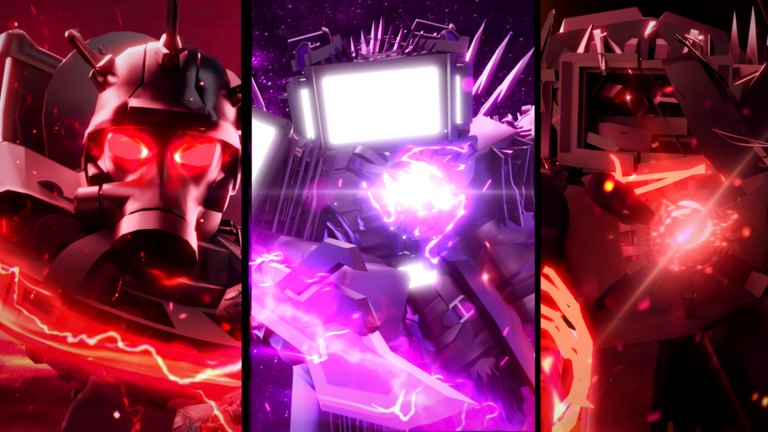
Titans ultra boss rush runs on Roblox with R6 avatars. That means the skeleton you see is the classic six-joint rig, not a custom R15 stunt kit. Movement still sits on the default Roblox camera and walk model. Titan combat sits on top: you move, you aim at the wave, you spend abilities, and you rotate back if anything walks toward the base. This page does not invent exact ability keys. Those live in the in-game keybind UI and can change with patches. Open that UI on every device you play, then treat this guide as the combat loop around those binds.
If you have not finished a Normal clear yet, park this tab next to Getting Started. Controls will not save a Clock Boss queue on a starter titan. They will save a Normal hold that was dying to camera drift.
PC movement and camera
On PC, expect the usual Roblox layout until the game tells you otherwise: walk with the keyboard, look with the mouse, jump with the space bar. The exact keys are the ones listed in Roblox settings and in the experience UI. Do not memorize a wiki table that pretends to know your binds. If you rebound camera or movement in Roblox, the titan inherits that.
Camera discipline matters more than walk speed. Keep the lens on the threat closest to the base, not on the loudest boss in the middle of the map. When a named enemy spawns, glance, tag it, then check the lanes. A titan staring at Clock Boss while a trash wave walks home is how filled lobbies still lose. Shift-lock, toggle mouse lock, and first-person are personal. Pick the one that lets you see both the wave and the base. If you cannot see the base, you cannot defend it.
Abilities are on the keys the titan UI shows. Some titans dump a primary on a click. Some have extra skills on extra keys. Read the prompt. This wiki will not guess Q, E, F, or number-row binds for a kit that the developer can remap. After you confirm binds, the rule is the same for every titan: spend the kit into the wave, then move your model back onto the leak path.
Mobile tap versus PC
Mobile uses on-screen sticks and buttons. Tap-to-move and thumbstick both work if you can still aim. The failure mode on a phone is covering the wave with your thumb while a lane leaks off-screen. Pinch the camera out far enough to see the base. If the UI hides a skill behind a menu, open that menu before wave one, not during a Gman spawn.
Console players on Roblox use the gamepad map Roblox exposes. Again, check the in-game overlay. Do not copy a PC bind list onto a controller. The combat loop does not change: move, aim, abilities, hold the line.
Latency feels worse on mobile when the lobby is full. Eight players plus titan effects will hitch. When the hitch hits, stop chasing. Plant yourself between the wave and the base until the frame rate comes back. A missed ability is recoverable. A missed leak is not.
The combat loop
Titans ultra boss rush is a defense game. You are not scoring a highlight reel. You are stopping waves. The loop looks like this:
- Spawn and face the approach, not the skybox.
- Identify the next wave and the nearest path to the base.
- Move onto that path so trash cannot walk around you.
- Aim at the cluster that will leak first, not the boss with the biggest model.
- Spend abilities when the wave is in range. Hoarding a cooldown while the base takes hits is a wipe.
- After the burst, rotate. If a teammate peeled off, you cover their lane.
- Repeat until the mode ends or the base falls.
Named bosses break people because they look like the whole match. Clock Boss is the hardest named fight in the game, and it still shares the map with waves. Gman 2 and Gman 3 are the Cinema farm, and they still leak if you ignore trash. Read How to Beat Clock Boss and How to Beat Gman for those set-pieces. The control lesson is identical: the base is the win condition.
Lobbies, R6, and common mistakes
Matches cap at eight online players. More titans means more overlapping abilities and more people who can wander. Call your lane even if chat is quiet. Stand where a leak would have to walk. If you are learning, a smaller lobby is calmer. If you are pushing Hard, Boss Rush, Astro, or Nightmare, fill the eight.
R6 limits how fancy a kit can look. Animations are stiff compared with R15 showcase games. That is not a bug in your binds. Aim with the camera, not with the hope that a flourish tracks the target for you.
Common mistakes this page exists to kill:
- Inventing binds from another toilet-defense game and then missing every skill.
- Chasing a boss into a corner while the wave walks into the base.
- Playing mobile with the camera slammed into your titan’s back.
- Starting Clock Boss because movement finally feels good. Movement is necessary, not sufficient. You still need Cinema or Majesty and a squad.
- Ignoring the in-game UI after a patch. Updates can remap prompts. Recheck binds when the place versions.
Spend cash on titans that the titan tier list and the parent tier list hub actually rank, starting from Engineer Toilet and Cinema Titan via the Cinema drop guide. Controls will not promote a weak kit. They will let a real kit hold the line. When the line holds, leave this page and pick a mode from the guides hub or the mode tier list. If you came here from a script promise, read the scripts hub for the risk note and stay on a normal client. Recheck codes only after Discord giveaways; there were no verified public codes in September 2026.
The last control check is boring on purpose. Before every session, open the keybind UI, look at the base, and decide which lane you own. If you cannot name that lane, you are not ready to queue the next badge on the badge checklist. Camera first, abilities second, Clock Boss never as a tutorial. That is the whole page.
Frequently Asked Questions
Quick answers for Titans ultra boss rush on Roblox.
What are the exact ability keys?
This wiki does not invent binds. Open the in-game keybind UI on PC, the on-screen buttons on mobile, or the Roblox gamepad overlay on console. Recheck after patches listed on the updates hub.
Does Titans ultra boss rush use R6 or R15?
Matches use R6 avatars. Movement is the default Roblox walk and camera model with titan abilities on top. Do not expect R15 animation cancels from other experiences.
Is mobile playable?
Yes. Keep the camera pulled back so you can see the base, and do not cover the leak path with your thumb. Fill an eight-player lobby for Hard and later modes; thin mobile lobbies leak faster.
Why do I lose even when I kill the boss?
The win condition is the base, not the highlight clip. Rotate back to the lane after a burst. The same rule applies on Clock Boss, Gman, and Nightmare.
Should I learn controls before farming Cinema Titan?
Yes. Finish a Normal hold from Getting Started, confirm binds here, then farm Cinema Titan from Gman 2 and Gman 3. A dropped upgrade still leaks if you cannot aim.